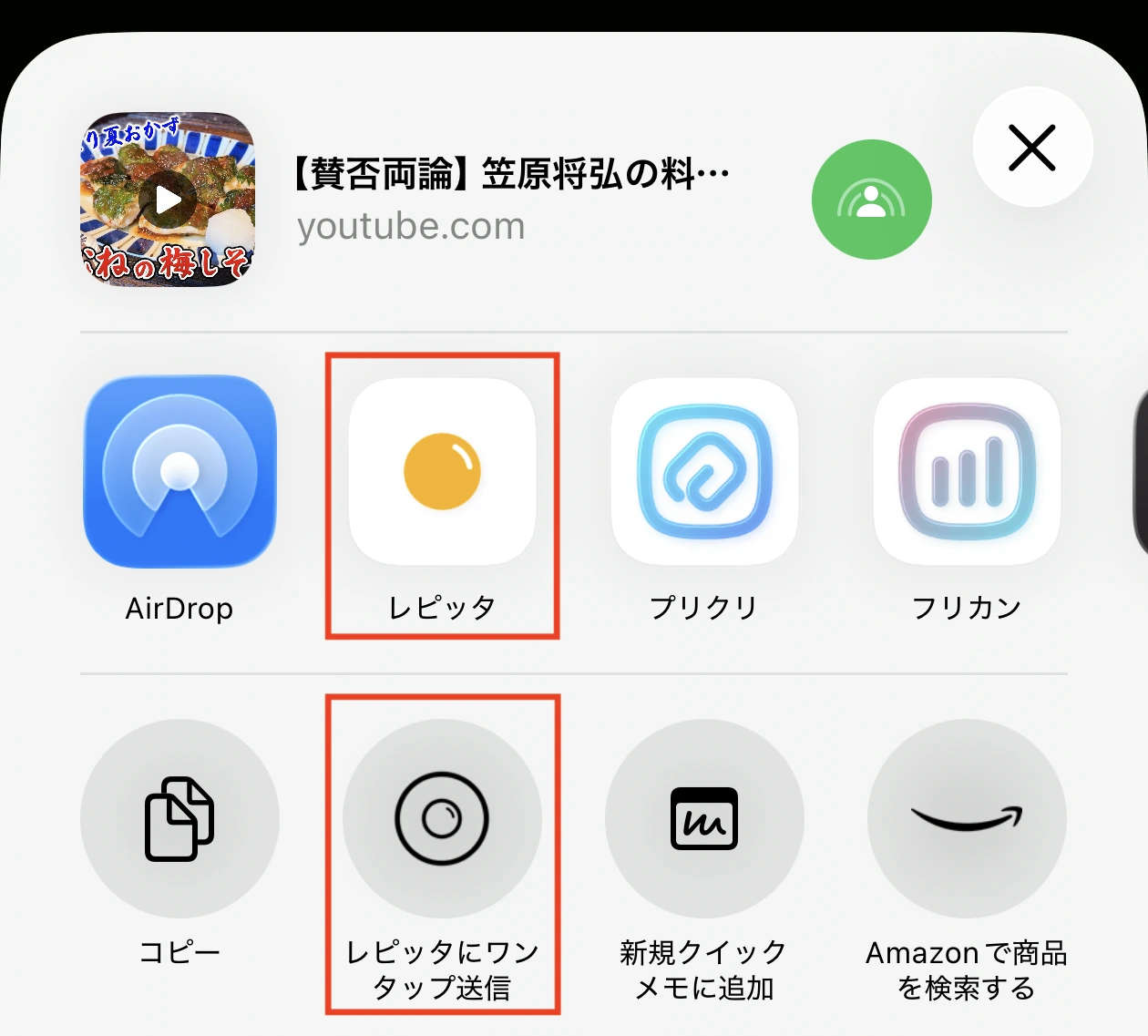
Save recipes from social apps
Saving from social apps
Recipes you find on Instagram or YouTube can be sent straight to Repitta from the share menu. There is no need to copy the URL.
Example with Instagram
- 1
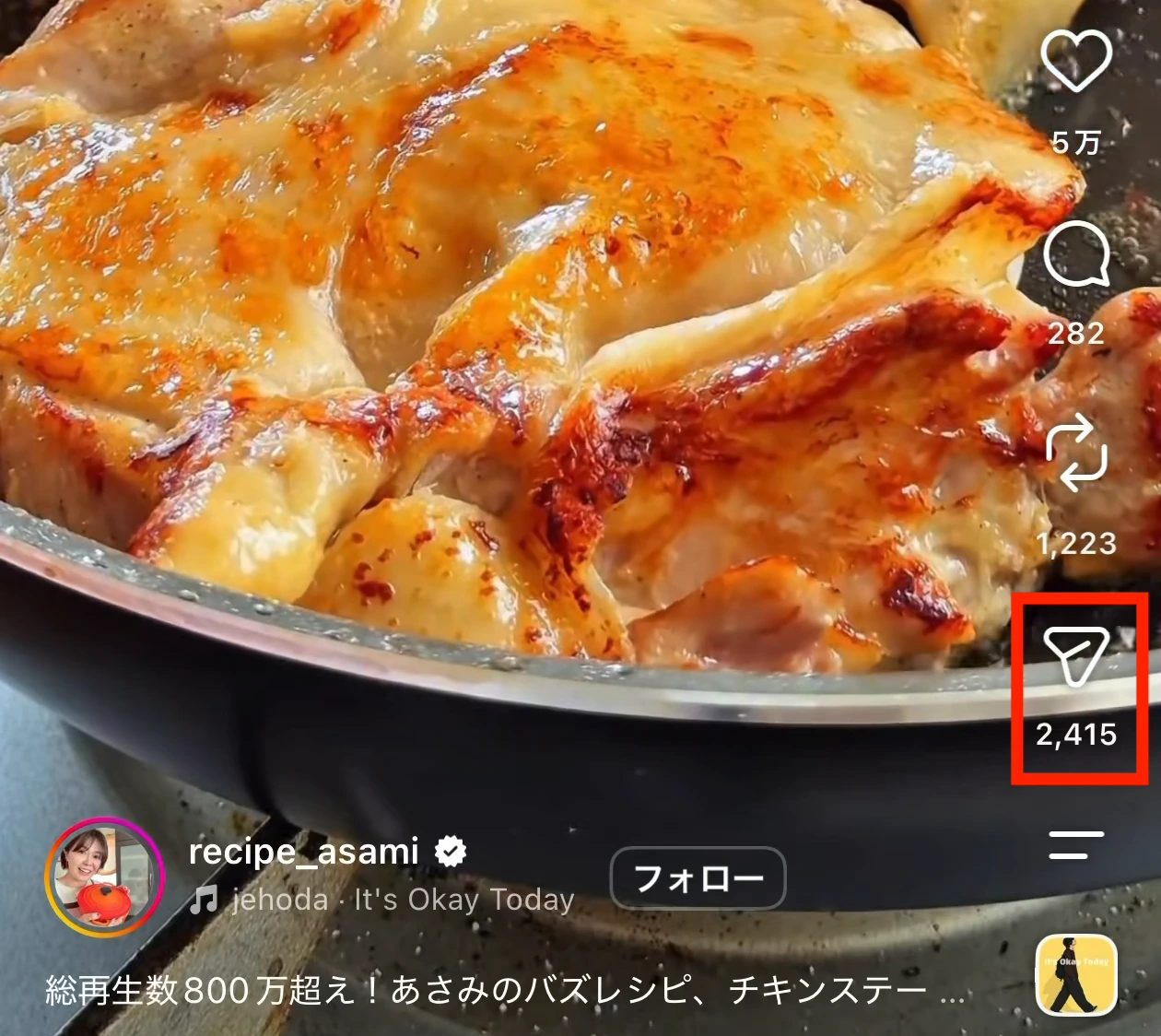
Tap Share on the post you want to save
Tap the button outlined in red. The first image shows a post, the second shows a Reel.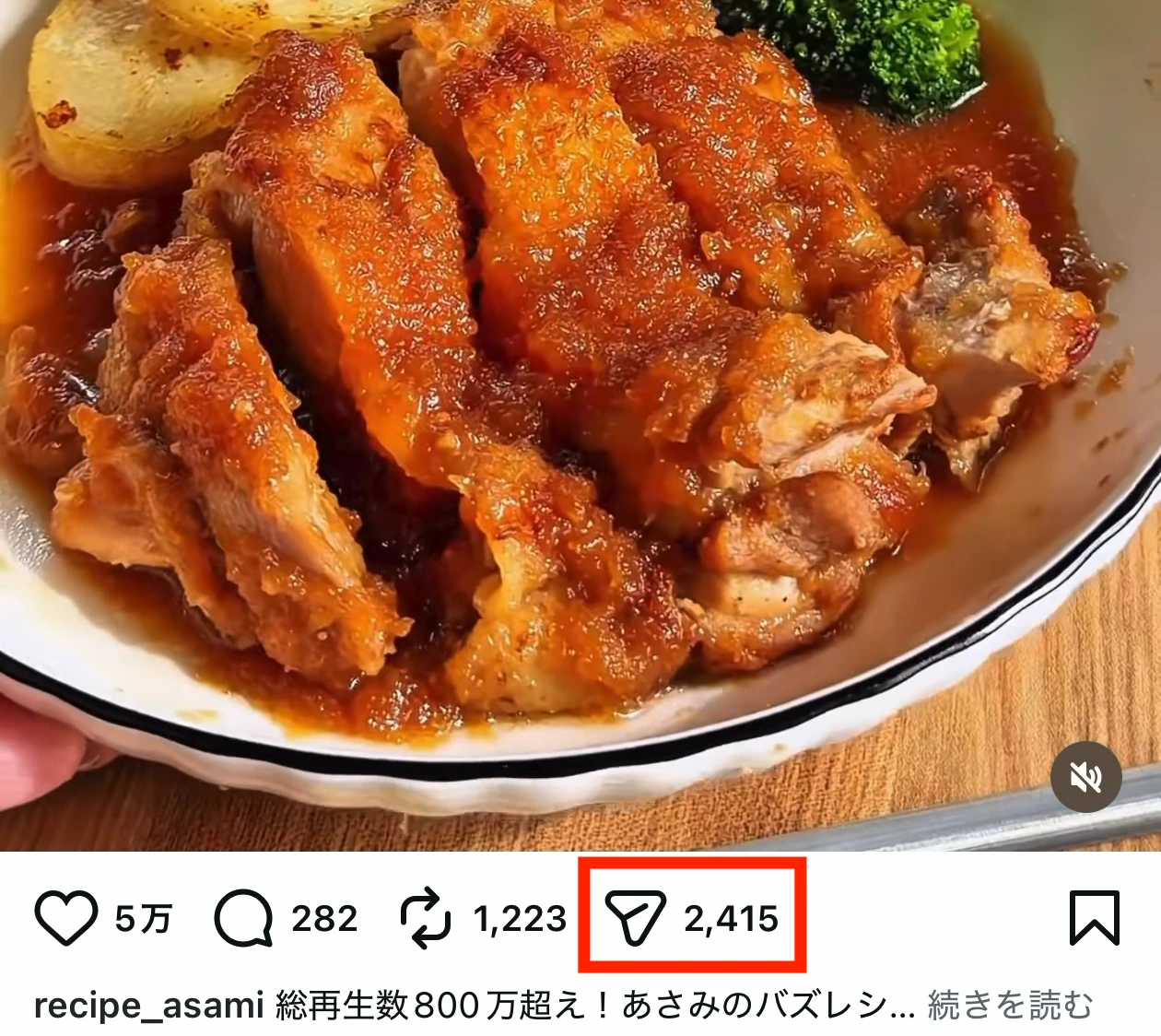
- 2
Tap Share
As in other apps, look for Share and tap it. You can also copy the link and add the recipe from the URL screen inside Repitta.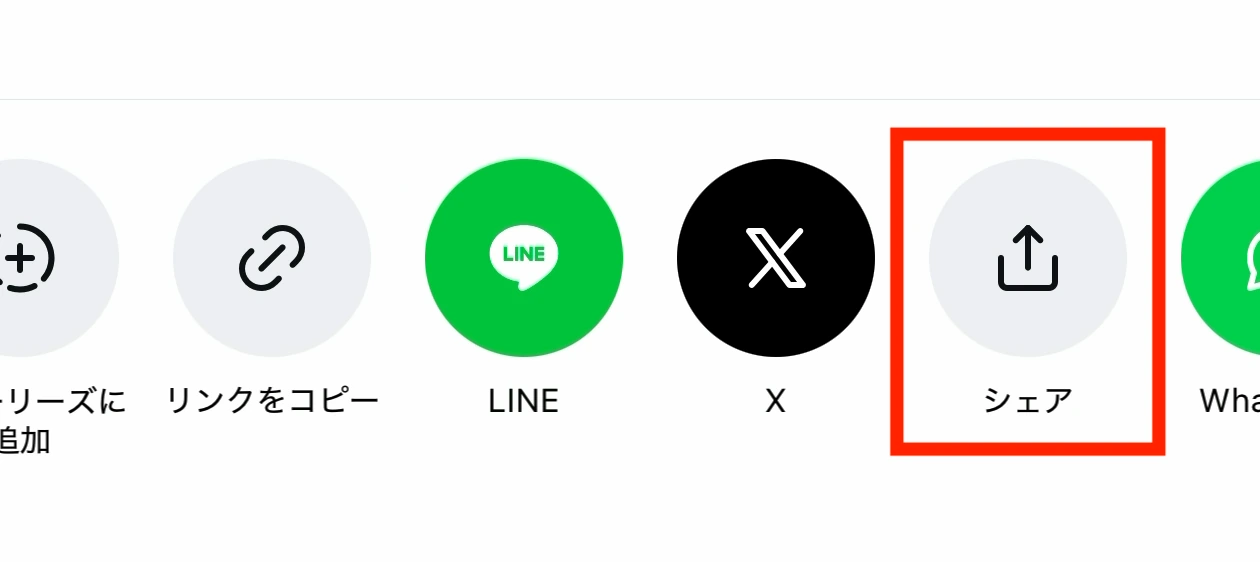
- 3
Choose Repitta
Pick Repitta from the list of apps. If it is missing, add it from More. Tapping the app icon lets you set the category and other details, while one-tap send is the quickest way to save.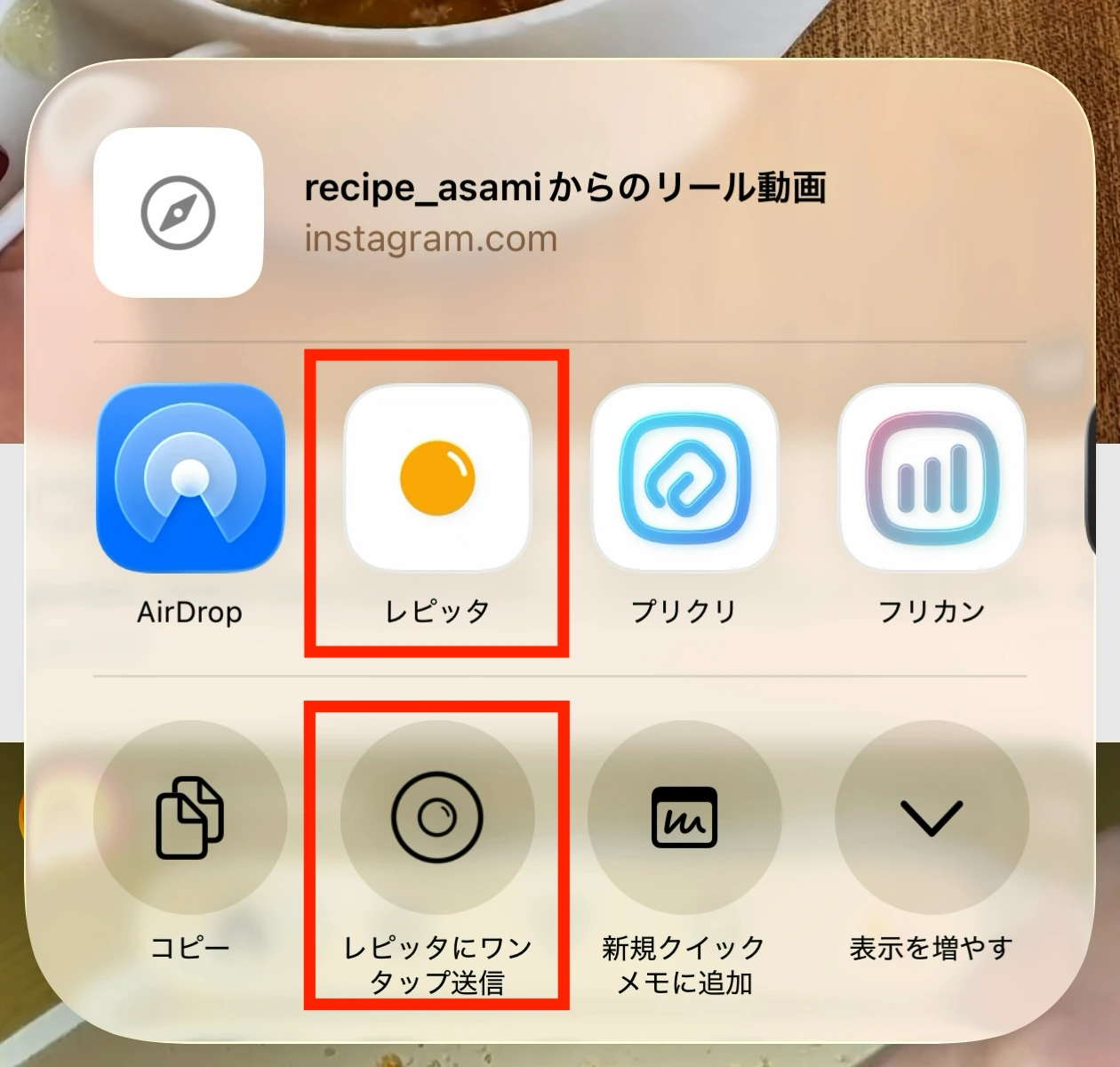
Example with YouTube
- 1
Tap Share on the video you want to save
Tap the button outlined in red.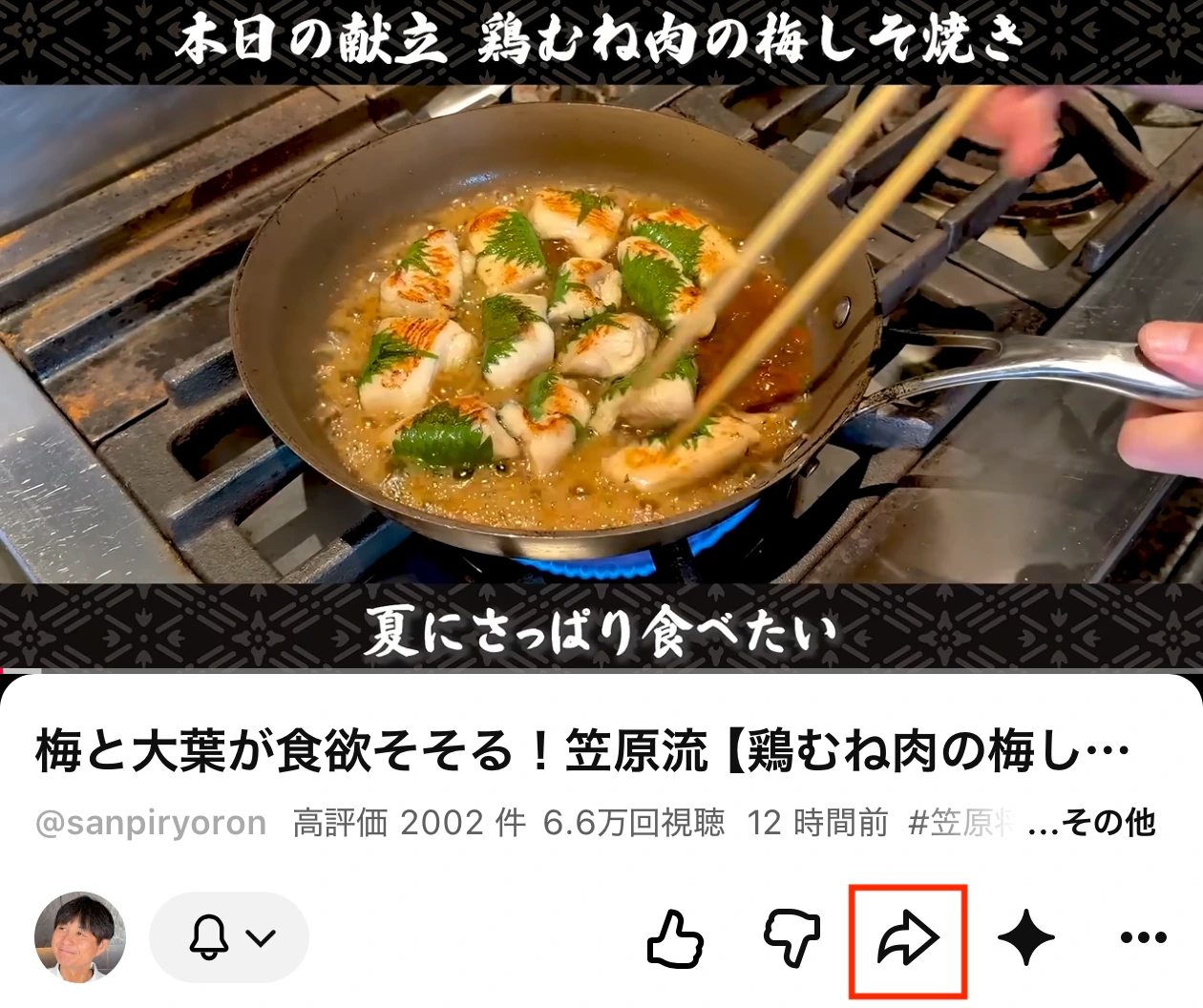
- 2
Tap More in the share row
Choose More at the far right of the share destinations.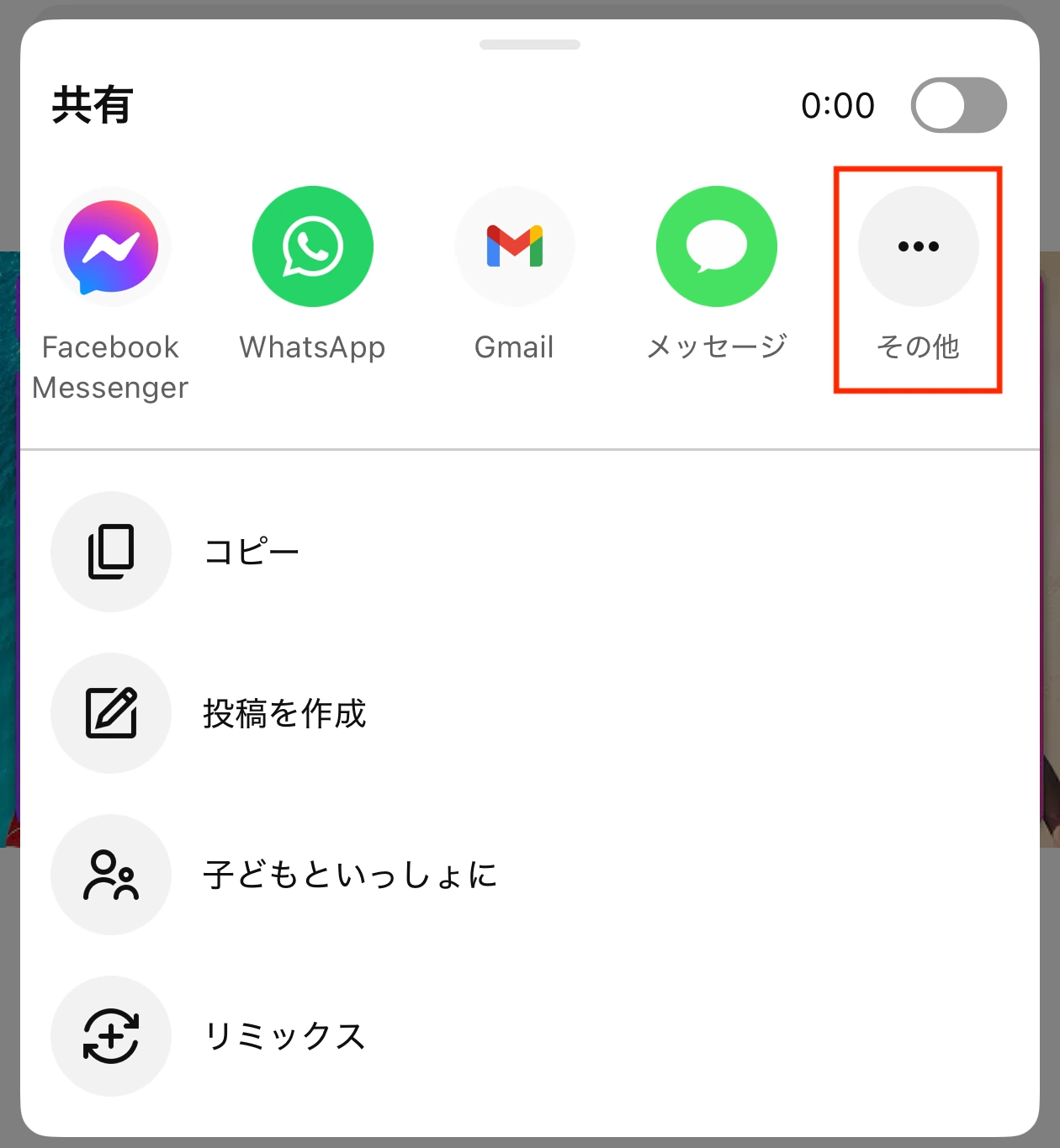
- 3
Choose Repitta
Pick Repitta from the list of apps. If it is missing, add it from More. Tapping the app icon lets you set the category and other details, while one-tap send is the quickest way to save.